

Managing Shopify sales tax is one of those responsibilities that keeps ecommerce entrepreneurs up at night—but it doesn’t have to be complicated. Whether you’re selling in one state or across the entire country, understanding your sales tax obligations will save you from costly penalties and audit headaches down the road. Let’s break down exactly what you need to know to keep your Shopify store compliant and running smoothly.
Table of Contents
What Is Sales Tax?
Sales tax is a consumption tax levied by states and local jurisdictions on retail transactions. When a customer buys something from your Shopify store, you’re typically required to collect that tax at the point of sale and remit it to the appropriate state revenue department. The rate varies dramatically—from zero in states like Montana and New Hampshire to over 10% in some cities.
Here’s the thing: you’re not actually keeping this money. You’re acting as a middleman, collecting it on behalf of the government. This is why getting it wrong can feel like a double hit—you’re liable for the tax amount even if you haven’t collected it from your customer.
Understanding Sales Tax Nexus
The term “nexus” might sound intimidating, but it’s just a fancy way of asking: “Do I have to collect sales tax in this state?” You have nexus in a state if you have a meaningful connection there. This used to mean you needed a physical presence, but the Supreme Court’s 2018 *South Dakota v. Wayfair* decision changed everything.
Now, most states require you to collect sales tax if you exceed certain sales thresholds—typically $100,000 to $500,000 in annual revenue or 200+ transactions. Some states are more aggressive; others are more lenient. The bottom line: check your specific state’s rules because they’re constantly evolving.
If you’re selling across multiple states, you likely have nexus in more places than you think. This is where many sellers get tripped up—they assume they’re too small to worry about it, then suddenly owe back taxes plus penalties.
Shopify’s Built-In Tax Tools
Shopify offers a native tax calculator that integrates directly into your store. Here’s what it does well: it automatically calculates tax rates based on your customer’s location and your product type. You can set it up in minutes without hiring an accountant.
However—and this is important—Shopify’s calculator has limitations. It doesn’t handle every edge case, and it assumes you’re using standard tax rules. If you have complex products, wholesale operations, or sell in multiple jurisdictions, you might need additional tools.

You can also integrate third-party apps like TaxJar, Avalara, or Vertex. These platforms sync with Shopify and handle:
- Real-time tax rate calculations across all states
- Automatic filing and payment processing
- Exemption certificate management
- Detailed reporting for your accountant
- Audit trail documentation
The cost varies—typically $20-$100+ per month depending on your sales volume—but many sellers find the peace of mind worth every penny.
State-by-State Requirements
This is where things get granular. Each state has different rules about what’s taxable, exemptions, and filing deadlines. Some states tax digital products; others don’t. Some exempt clothing; others tax it. Some require monthly filing; others quarterly or annually.
For example, if you’re operating in California, you need to understand that sales tax in Santa Clara County runs 9.375%, but in Fresno, the rate differs, and Orange County has its own structure. Texas sellers face similar variations—Austin’s sales tax is different from other Texas cities.
The IRS doesn’t manage sales tax (that’s state territory), but you can find authoritative guidance at Tax Foundation and your individual state’s Department of Revenue website. Many states also provide free webinars for sellers.
Collecting and Remitting Tax
Collecting tax is the easy part—Shopify does it automatically if you’ve set up the calculator correctly. The hard part is remitting it on time and accurately.
Here’s the process:
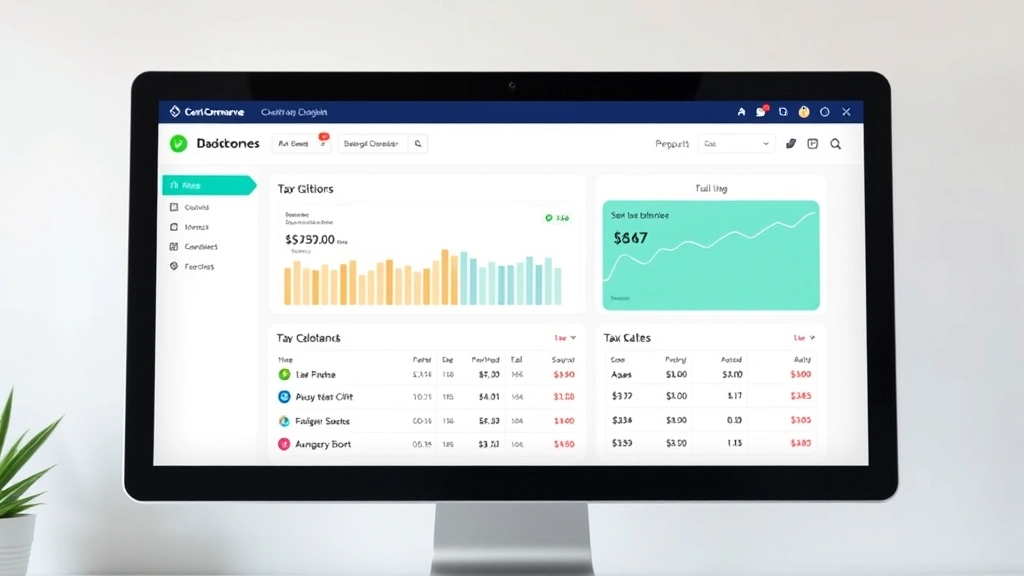
- Set up your tax nexus: List every state where you have sales tax obligations
- Configure rates: Input the correct rates for each jurisdiction (or use an integration)
- Collect at checkout: Shopify adds tax to customer orders automatically
- Track collections: Generate reports showing what you’ve collected by state
- File returns: Submit sales tax returns by your state’s deadline (usually monthly, quarterly, or annually)
- Remit payment: Pay the tax you’ve collected to the state revenue department
Many sellers make the mistake of treating collected sales tax as revenue. It’s not—it’s a liability. If you spend that money on inventory or advertising, you’ll be in serious trouble when filing time arrives.
Regional Tax Considerations
Let’s talk about real-world scenarios. If you’re based in California and selling nationwide, you’re managing multiple tax regimes simultaneously. California itself requires paying state taxes online, and you’ll also need to handle federal compliance.
Some states have special considerations:
- No sales tax states: Montana, New Hampshire, Oregon, Delaware, and Alaska don’t have statewide sales taxes (though some have local taxes)
- Digital products: States increasingly tax software, ebooks, and streaming services differently
- Shipping: Some states tax shipping; others don’t—and it varies by product type
- B2B sales: If you sell to businesses with resale certificates, you typically don’t collect tax
- Marketplace facilitator laws: Some states require Shopify itself to collect tax on your behalf
Understanding these nuances prevents costly errors. For instance, if you’re selling clothing in Pennsylvania, it’s untaxed. Sell the same item in Illinois, and it’s taxable. Miss that distinction, and you’re either overcharging customers or underpaying the state.
Avoiding Common Mistakes
After working with hundreds of Shopify sellers, I’ve seen the same mistakes repeatedly:
Mistake #1: Not registering for a sales tax permit. You can’t legally collect sales tax without one. Register with your state’s Department of Revenue before you start selling.
Mistake #2: Ignoring marketplace facilitator laws. Some states require Shopify to collect tax on your behalf if you meet certain thresholds. If that’s happening and you’re also collecting, you’re double-taxing customers.

Mistake #3: Forgetting about local taxes. State tax is only part of the equation. Cities and counties add their own rates. A customer in Chicago pays state + city + county tax—three different jurisdictions.
Mistake #4: Not tracking exemptions. Wholesale customers, nonprofit organizations, and government agencies often have exemption certificates. You need a system to track these or you’ll be remitting tax you shouldn’t have collected.
Mistake #5: Treating sales tax like profit. This is the biggest one. Collected sales tax is a liability, not income. Spending it on business operations leaves you short when filing time arrives.
Automation and Best Practices
The smartest move is automating everything possible. Here’s a practical roadmap:
Step 1: Choose your tool. Decide whether Shopify’s native calculator is sufficient or if you need a third-party integration. For most multi-state sellers, an integration is worth the cost.
Step 2: Set up separate accounting. Create a dedicated sales tax liability account in your accounting software (QuickBooks, Xero, Wave, etc.). Every time you collect tax, it goes here—not into revenue.
Step 3: Automate reconciliation. Use tools that sync Shopify with your accounting software automatically. This eliminates manual data entry and reduces errors.

Step 4: Schedule filing reminders. Create a calendar with all your state filing deadlines. Missing a deadline can trigger penalties even if you owe $0.
Step 5: Document everything. Keep records of all tax collected, filed, and paid for at least 3-7 years. If you’re audited, documentation is your best defense.
Step 6: Review quarterly. Don’t wait until filing day to reconcile. Check your numbers every quarter so surprises don’t derail your cash flow.
Many sellers also work with a CPA or tax professional who specializes in ecommerce. The cost ($500-$2,000+ annually) often pays for itself through optimization and error prevention.
Frequently Asked Questions
Do I have to collect sales tax if I’m just starting out?
Yes, if you have nexus in a state (which most online sellers do now post-Wayfair). However, many states have small seller thresholds—you might not have to file if you’re under $100,000 in annual revenue. Check your specific state’s rules, but the safest approach is setting up tax collection from day one.
What happens if I don’t collect sales tax?
You become personally liable for the unpaid tax, plus penalties (typically 10-25% of the tax owed) and interest (compounding daily). States are aggressive about collection—they can garnish bank accounts, place liens on property, and even pursue criminal charges in extreme cases. It’s not worth the risk.
Can I use Shopify’s tax calculator for all states?
Shopify’s calculator handles basic scenarios well, but it has limitations with complex situations (wholesale, exemptions, digital products, etc.). If you’re selling in more than 3-4 states or have complicated products, a specialized integration is safer.

How often do I need to file sales tax returns?
It depends on your state and sales volume. Most states require monthly or quarterly filing, though some allow annual filing for small sellers. Check your state’s Department of Revenue website or ask your tax professional.
What if a customer is tax-exempt?
They need to provide a valid resale certificate or exemption certificate. Keep copies of these documents for your records. If you collect tax from an exempt customer without proper documentation, you’re liable for the tax.
Do I need to collect sales tax on shipping?
It depends on the state and product type. Some states tax shipping on all items; others only on tangible goods; others don’t tax it at all. This is one area where tax software really earns its keep—it handles these nuances automatically.
What about international customers?
Generally, you don’t collect U.S. sales tax on international orders. However, you may have VAT, GST, or similar obligations depending on the country. This is complex and varies significantly—consult a tax professional if you’re shipping internationally.
Final Thoughts on Shopify Sales Tax Compliance
Managing Shopify sales tax doesn’t have to be stressful. The key is setting up systems early, automating what you can, and staying informed about rule changes. Start by registering for sales tax permits in states where you have nexus, configure your tax collection tool, and establish a tracking system for what you’ve collected.
If you’re selling in California or other high-tax states, the complexity increases—but the principles remain the same. Whether you’re dealing with franchise tax obligations or state income tax, the foundation is solid record-keeping and timely filing.
Remember: sales tax isn’t optional just because you’re small. The IRS and state revenue departments have sophisticated tracking systems now. The best time to get compliant is today, not when you receive a notice. Your future self will thank you.


