

If you’re earning money as a DoorDash driver, understanding DoorDash tax forms isn’t optional—it’s essential to staying compliant with the IRS and avoiding costly mistakes. As an independent contractor, you won’t receive a W-2 like traditional employees. Instead, you’ll deal with 1099 forms, quarterly estimated taxes, and deductions that can significantly reduce what you owe. Let’s break down exactly what forms you need, when you need them, and how to handle your DoorDash income like a pro.
Table of Contents
Understanding 1099 Forms
As a DoorDash independent contractor, you operate as your own business. This means DoorDash doesn’t withhold income taxes, Social Security, or Medicare taxes from your earnings—that responsibility falls entirely on you. The 1099 form is how the IRS tracks self-employment income, and it’s critical you understand what it represents.
A 1099 isn’t a tax bill; it’s a record of income reported to the IRS by DoorDash. When you file your tax return, you’ll report this income and claim deductions to reduce your taxable amount. The difference between your gross earnings and allowable deductions determines your actual tax liability. Many new dashers panic when they see their 1099 amount, not realizing that substantial deductions can dramatically lower what they actually owe.
The IRS requires DoorDash to issue a 1099 to any driver who earned $600 or more in a calendar year. If you earned less than $600, you still need to report the income on your return, but DoorDash won’t send you a form.
Which Forms Will You Receive?
DoorDash typically issues one primary form for tax purposes:
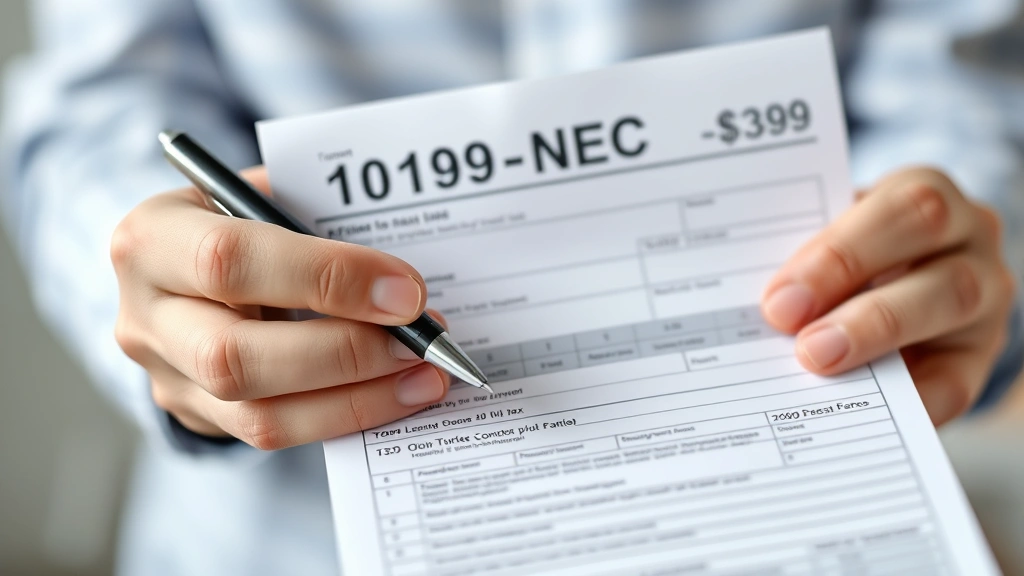
Form 1099-NEC (Nonemployee Compensation) – This is the main form you’ll receive if you earned $600+ from DoorDash deliveries. It shows your gross earnings from the platform. DoorDash will mail this to you by January 31st, and they’ll also file a copy with the IRS.
Some dashers may also receive a Form 1099-K if they used certain payment methods or if their earnings exceeded specific thresholds, though this is less common for DoorDash drivers compared to other gig platforms.
You’ll also want to track tax-exempt interest income separately if you earn any, though this won’t apply to most dashers. The key is understanding that your DoorDash earnings are not tax-exempt—you’ll owe both income tax and self-employment tax on this income.
Filing Timeline and Deadlines
Timing matters when it comes to tax forms and filing deadlines. Here’s the critical calendar:
January 31, 2024 – DoorDash must send you your 1099 form (and file it with the IRS). If you don’t receive it by early February, contact DoorDash’s support.
April 15, 2024 – Federal income tax return deadline. This is when your 1040 (along with Schedule C for self-employment income) is due to the IRS.
Quarterly Dates – April 15, June 15, September 15, and January 15 are estimated tax payment deadlines. These are crucial if you expect to owe $1,000 or more in taxes for the year.
Missing these deadlines can result in penalties and interest charges. If you can’t file by April 15, you can request an extension, but understand that an extension to file is not an extension to pay—taxes owed are still due on April 15.
Quarterly Estimated Tax Payments
This is where many dashers get caught off guard. Unlike W-2 employees who have taxes withheld from each paycheck, you must pay taxes four times per year on your own. The IRS calls these estimated quarterly tax payments, and they’re not optional if you expect to owe $1,000 or more.
Here’s the reality: if you earn $2,000 per month from DoorDash, you’re looking at roughly $450-600 per month in combined income and self-employment taxes (depending on your state and deductions). If you don’t set this money aside quarterly, you’ll face a massive bill in April.
To calculate your quarterly payment:
1. Estimate your annual net profit (gross earnings minus deductions)
2. Multiply by your combined tax rate (roughly 25-30% for most dashers)
3. Divide by four for your quarterly payment
4. Pay via IRS.gov using the Direct Pay system or EFTPS
Many dashers use tax software like Quicken to help calculate these amounts accurately. Setting up automatic quarterly payments prevents the scramble come April.
Deductions Dashers Can Claim
Here’s where you can significantly reduce your tax burden. The IRS allows self-employed dashers to deduct legitimate business expenses. These are the main ones:

Mileage – This is typically your biggest deduction. For 2024, the standard mileage rate is 67 cents per mile for business use. Track every delivery mile (from pickup to customer drop-off). If you drove 15,000 delivery miles, that’s a $10,050 deduction. Many dashers use apps like MileIQ to automate this tracking.
Vehicle Expenses – Alternatively, you can deduct actual expenses: gas, maintenance, repairs, insurance, registration, and depreciation. You can only use one method (mileage or actual expenses), so calculate both to see which saves you more.
Phone and Internet – A percentage of your phone bill and home internet can be deducted if you use them for DoorDash work. Claim a reasonable portion, like 25-50%.
Equipment and Supplies – Insulated delivery bags, phone mounts, chargers, and work clothing are deductible. Keep receipts for items over $75.
Home Office – If you have a dedicated space for managing deliveries, tracking income, or communicating with support, you can deduct that space using the simplified method ($5 per square foot, max 300 sq ft).
Charitable Contributions – If you donate a portion of your earnings, understand how donor-advised fund tax deductions work to maximize this benefit while helping causes you care about.
Pro tip: The IRS scrutinizes self-employed deductions more heavily than W-2 deductions. Only claim expenses that are ordinary, necessary, and directly related to your DoorDash business. Keep receipts and mileage logs for at least three years.
Self-Employment Tax Explained
Beyond income tax, you’ll pay self-employment tax, which covers Social Security and Medicare. This is a 15.3% tax on 92.35% of your net self-employment income (roughly 14.1% effective rate). W-2 employees split this with their employer, but as a dasher, you pay the full amount.
Here’s the math: If you net $30,000 from DoorDash after deductions, you’ll owe approximately $4,230 in self-employment tax alone, plus income tax on top of that.
You can deduct half of your self-employment tax when calculating your adjusted gross income, which provides some relief. This is why understanding withholding tax concepts matters—even though DoorDash doesn’t withhold, you need to understand your total tax obligation.
Report self-employment tax on Schedule SE (Form 1040), and it flows into your Form 1040 to determine your total tax liability.
State and Local Tax Obligations
Federal taxes are only part of the story. Most states impose income tax on self-employment earnings, and some cities add local taxes on top. Additionally, some states have state income tax (SIT) that applies to gig workers.
A few states have no income tax (Florida, Texas, Wyoming, Alaska, Nevada, South Dakota, Tennessee, Washington), which is a significant advantage for dashers living there. However, most states tax your DoorDash income at rates ranging from 2-13%.
Some cities also impose local earned income taxes. Philadelphia, Columbus, and Kansas City are examples where dashers owe an additional 1-3% local tax. Check your state and local tax authority websites to confirm your obligations.
When filing your federal return, you’ll also need to file state and local returns (if applicable) by the same April 15 deadline. Failure to file state returns can result in penalties and interest separate from federal penalties.
Record Keeping Best Practices
The IRS doesn’t require you to keep physical copies of your 1099 form, but you absolutely should. Here’s what to maintain:
Income Records – Keep your 1099 forms, DoorDash earnings statements (accessible in your app under “Earnings”), and any other income documentation for at least three years.
Mileage Logs – Document the date, starting location, ending location, miles driven, and business purpose for each trip. Apps like MileIQ and TripLog automate this and create audit-ready logs.

Expense Receipts – Save receipts for vehicle maintenance, fuel, equipment, phone bills, and any other deductible expenses. Organize them by category (mileage, vehicle, supplies, etc.).
Bank and Payment Records – Keep statements showing DoorDash deposits and any business expenses paid from your account.
Tax Returns – Store copies of your filed tax returns, 1040s, Schedule Cs, and state returns indefinitely. You’ll need these for loan applications, background checks, and IRS inquiries.
If you’re audited, the IRS will ask for documentation supporting your reported income and deductions. Dashers without good records often end up paying additional taxes plus penalties. Spending 30 minutes per week organizing records saves massive headaches later.
Tax Software and Tools
You don’t need to hire a CPA to handle DoorDash taxes, but using the right tools makes filing much easier and more accurate.
Tax Filing Software – TurboTax Self-Employed, H&R Block, and TaxAct all have versions designed for gig workers. They guide you through entering your 1099 information, calculating deductions, and filing both federal and state returns. Costs range from $100-300.
Mileage Tracking – MileIQ, TripLog, and Stride Health automatically log your drives using GPS. Some integrate directly with tax software. Costs are typically $10-20/month but can save you hundreds in deductions.
Accounting Software – Wave and Zoho Books are free or low-cost options for tracking income and expenses throughout the year. This makes tax time much simpler because you’re not scrambling to categorize everything in April.
Quarterly Tax Calculators – Many tax software providers include tools to estimate quarterly payments. The IRS also offers a Direct Pay calculator on IRS.gov to help you determine payment amounts.

Whether you use software or hire a professional, the investment pays for itself through accurate deductions and avoiding penalties. A tax professional familiar with gig work might cost $500-1,500 but could save you thousands in missed deductions or audit issues.
Frequently Asked Questions
What if I earned less than $600 from DoorDash?
DoorDash won’t send you a 1099, but you still must report the income on your tax return if you earned anything. Use your DoorDash earnings statements to document the amount. You’ll still owe self-employment tax on this income, so don’t assume you can skip filing.
Can I deduct my entire car payment?
No. You can only deduct the business-use percentage of your car. If you drove 15,000 miles for DoorDash and 25,000 total miles (including personal use), only 60% of your car expenses are deductible. The mileage method simplifies this by allowing you to deduct the per-mile rate for business miles only.
What happens if I don’t pay quarterly taxes?
The IRS will charge you a failure-to-pay penalty (0.5% per month) plus interest (currently around 8% annually) on the unpaid balance. Additionally, if you underpay significantly, you may face an underpayment penalty. These penalties can add 10-15% to your tax bill, so quarterly payments are worth the effort.
Should I hire a tax professional or use software?
If your situation is straightforward (only DoorDash income, standard deductions, no business losses), good tax software is sufficient. If you have multiple income streams, rental property, significant investment income, or complex deductions, hiring a CPA familiar with gig economy taxes is worth the cost.
Can I claim losses to reduce my taxable income?
Yes. If your deductions exceed your DoorDash income (unlikely, but possible in a slow year), you can report a loss. This loss can offset other income you might have, reducing your overall tax liability. However, if you consistently report losses, the IRS may question whether you’re operating a legitimate business.
What’s the difference between a 1099-NEC and 1099-K?
A 1099-NEC reports non-employee compensation (what DoorDash pays you). A 1099-K reports payment card transactions. Some dashers receive both if they use multiple payment methods. Both must be reported on your tax return, and you should reconcile them with your DoorDash earnings statement to ensure accuracy.
Do I need to register as a business?
You’re already operating as a self-employed individual, but registering as an LLC or S-Corp can provide liability protection and potential tax savings. This is worth discussing with a tax professional if your DoorDash income exceeds $50,000 annually. For most part-time dashers, sole proprietor status is fine.
Can I deduct food I purchase while dashing?
No. Meals and personal expenses aren’t deductible, even if you eat while working. The only exception is if you’re traveling overnight for business (which rarely applies to local deliveries) or if you have a legitimate home office and buy supplies specifically for that space.
Final Thoughts on DoorDash Tax Forms
Handling DoorDash tax forms might seem intimidating, but it’s manageable when you understand the basics. You’ll receive a 1099 form, report it on a Schedule C, pay quarterly estimated taxes, claim legitimate deductions, and file by April 15. The key is staying organized throughout the year rather than scrambling in March.
Remember: your 1099 shows gross earnings, not your tax bill. By claiming mileage, vehicle expenses, equipment, and other deductions, you can reduce your taxable income significantly. Most dashers find that tracking mileage alone saves them $2,000-5,000 in taxes annually.
Use the tools available to you—mileage apps, tax software, and professional guidance when needed—to ensure you’re compliant and optimizing your tax situation. The small investment in getting this right prevents costly mistakes and keeps you in good standing with the IRS.


