

Fox tax software has become a household name for DIY filers looking to skip the CPA’s office and handle their returns independently. But with so many options flooding the market—from TurboTax to H&R Block—you’re probably wondering if Fox Tax actually delivers on its promises or if it’s just another player riding the tax season wave. Let me give it to you straight: I’ve reviewed dozens of tax platforms, and Fox Tax has some genuine strengths worth considering, along with a few quirks that might not work for everyone.
Table of Contents
What Is Fox Tax?
Fox Tax is a cloud-based tax preparation platform designed for individuals and small business owners who want to file their federal and state returns without hiring a professional. It’s been around for a while and has built a reputation for being straightforward and affordable. Unlike some competitors that try to upsell you on premium features you don’t need, Fox Tax keeps things relatively simple—which is either a huge plus or a limitation, depending on your situation.
The platform uses guided interviews and step-by-step wizards to walk you through your return. You answer questions about your income, deductions, credits, and life events, and the software calculates your tax liability and generates your return. It supports both federal and state filings, and you can e-file directly from the platform.
Pricing & Plans Comparison
Here’s where Fox Tax makes a compelling argument: cost. The platform typically offers tiered pricing that’s genuinely cheaper than TurboTax or H&R Block for basic returns.
Standard pricing usually breaks down like this:
- Basic Federal Return: $49.99–$59.99 (covers simple 1040 returns)
- Deluxe Federal + State: $89.99–$119.99 (adds state filing and more deductions)
- Premium/Business: $149.99–$199.99 (for self-employed and small business owners)
Compare this to TurboTax, where you’re looking at $69 for basic and $249+ for premium—and you start to see why budget-conscious filers take notice. If you’re comparing tax software pricing across platforms, you might also want to check out Drake Tax Software Pricing to see how professional-grade tools stack up.
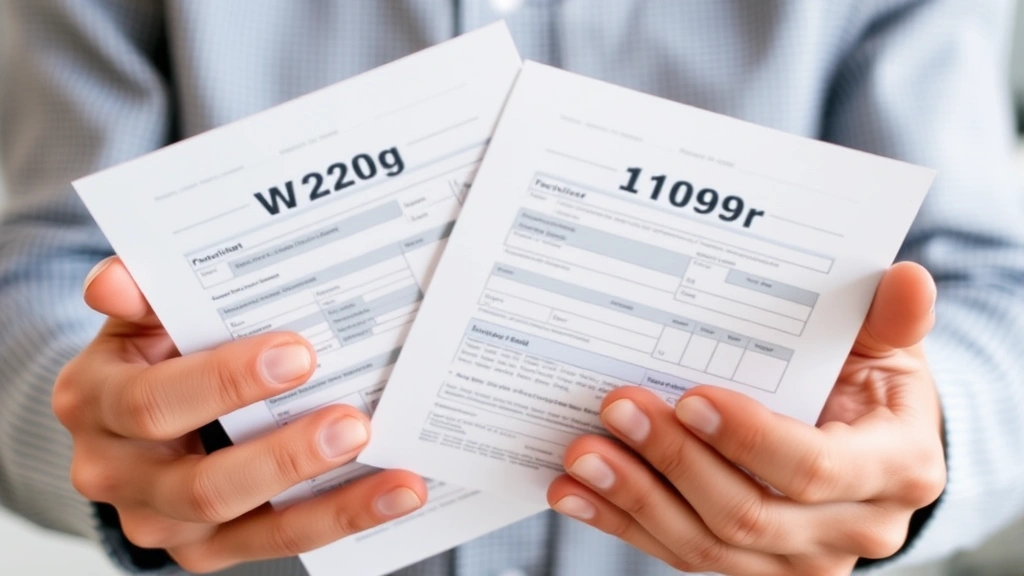
That said, watch out for promotional pricing. Both Fox Tax and competitors often advertise lower introductory rates, then bump you up after filing. Read the fine print carefully.
Key Features Breakdown
What Fox Tax Does Well:
- Guided Interview: The Q&A format is intuitive and doesn’t overwhelm you with jargon. It feels conversational, which I appreciate.
- Deduction Finder: The software scans your answers and flags potential deductions you might miss. This is genuinely helpful for people who don’t know they can write off home office expenses or medical bills.
- State Filing: Multi-state support is included at higher tiers, which matters if you’ve moved or have income in multiple states.
- E-filing: Direct federal and state e-filing means you get your refund faster than paper returns.
- Audit Support: Fox Tax includes basic audit support documentation, though it’s not as robust as some premium competitors.
What It Doesn’t Offer:
- Live chat support (email and phone only)
- Video tutorials are limited compared to TurboTax
- No CPA review option (you’re on your own)
- Mobile app is functional but not as polished as competitors
Ease of Use & Interface
The interface is clean and modern—nothing fancy, but it works. You’re guided through your return in a logical order, and you can skip questions that don’t apply to you. The progress bar shows you how far along you are, which is psychologically comforting when you’re staring down a tax return at 11 PM.
One thing I like: you can save your return and come back to it later without losing your progress. That’s not revolutionary, but it matters when life gets in the way.

The downside? If you have a complex return—multiple investment accounts, rental properties, or business deductions—the interface can feel limiting. You’re somewhat locked into the software’s workflow, and you can’t easily jump to specific sections or customize your filing order. If your situation is more complicated, you might want to explore Premier Tax Defense or other options that cater to complex returns.
Accuracy & Customer Support
Fox Tax uses IRS-approved algorithms to calculate your return, so the math is solid. The software catches common mistakes like duplicate deductions or mismatched income amounts. That said, the software can’t think creatively about your situation—it can only work with what you tell it.
Customer support is where things get dicey. Fox Tax offers email and phone support, but response times can be slow during tax season (January–April). If you’re filing on April 14th and have a question, you might be waiting. There’s no live chat, which is frustrating when you need immediate help.
The knowledge base is decent, with FAQs and video tutorials, but it’s not as comprehensive as competitors. If you’re someone who prefers talking to a human, this might be a dealbreaker.
Pros and Cons Summary
Pros:

- ✓ Significantly cheaper than TurboTax or H&R Block
- ✓ Intuitive, user-friendly interface for straightforward returns
- ✓ Includes state filing at mid-tier pricing
- ✓ Deduction finder helps catch missed credits
- ✓ Fast e-filing and refund processing
- ✓ No upselling or aggressive premium tier marketing
Cons:
- ✗ Limited customer support (no live chat)
- ✗ Not ideal for complex returns (rentals, investments, business income)
- ✗ Mobile app is basic compared to competitors
- ✗ No CPA or tax professional review option
- ✗ Fewer video tutorials and learning resources
- ✗ Audit support is minimal
Alternatives to Consider
If Fox Tax doesn’t feel like the right fit, here are some solid alternatives:
For Simple Returns: TurboTax Free (if you qualify based on income) or H&R Block Free are good options, though they’re more expensive at higher tiers.
For Small Business Owners: If you’re self-employed, you might want to compare with Drake Tax Software Pricing, which is industry-standard for tax professionals and offers more robust business features.
For DIY Filers Without a W2: If you’re dealing with unusual income situations, check out Can I File Taxes Without a W2 and How to File Taxes Without W2 to understand your options before choosing software.

For State-Specific Issues: If you’re in Connecticut or another state with unique tax situations, tools like Connecticut Tax Calculator might be worth exploring alongside your main tax software.
Final Verdict for 2024
Is Fox Tax worth your money in 2024? It depends on your situation.
You should use Fox Tax if:
- Your return is straightforward (W2 income, standard deductions, maybe a few 1099s)
- You’re on a tight budget and want to save $50–$100 compared to competitors
- You don’t need hand-holding or extensive customer support
- You file the same way every year and don’t need bells and whistles
You should skip Fox Tax if:
- You have rental properties, significant investment income, or a small business
- You want live chat support and extensive video tutorials
- You’re worried about making mistakes and want professional review
- You prefer a polished, feature-rich mobile experience
The bottom line: Fox Tax is a solid, no-frills option for straightforward filers who want to save money. It’s not the fanciest platform, and it won’t hold your hand through every decision, but it gets the job done. If you’re comfortable with taxes and just want an affordable way to file, you’ll probably be happy. If you’re tax-averse or have a complex return, you might be better served by a more comprehensive platform or a tax professional.

For context on financial planning beyond just taxes, you might also want to explore Dave Ramsey Tax strategies to see how tax filing fits into a broader financial plan.
Frequently Asked Questions
Is Fox Tax legitimate and IRS-approved?
Yes, Fox Tax is a legitimate, IRS-approved e-file provider. Your returns filed through Fox Tax are accepted by the IRS just like any other software. The company has been operating for years and maintains compliance with federal filing requirements.
Can I amend my return if I made a mistake?
Fox Tax allows you to file an amended return (Form 1040-X), though the process is somewhat manual. You’ll need to file through the platform, and the software will guide you through marking it as amended. Keep in mind that amended returns take longer to process—typically 8–12 weeks.
What if I have questions while filing?
Fox Tax offers phone support (usually 8 AM–10 PM ET during tax season) and email support. Response times vary, but during peak season (late March–April), you might wait 24–48 hours for an email response. There’s no live chat, which is the biggest limitation here.
Does Fox Tax work for self-employed people?
Yes, Fox Tax has a tier that supports self-employed filers and includes Schedule C (self-employment income) and Schedule SE (self-employment tax) forms. However, if you have multiple business entities, employees, or complex business deductions, you might want professional-grade software like Drake or Lacerte.
Is my information secure on Fox Tax?
Fox Tax uses 256-bit SSL encryption and follows IRS security standards. Your data is encrypted both in transit and at rest. That said, no online platform is 100% immune to breaches, so make sure you use a strong password and enable two-factor authentication if available.
How long does it take to get my refund?
If you e-file with Fox Tax, the IRS typically processes your return within 21 days. Direct deposit is faster than a paper check (which can take 4–6 weeks). The timeline depends on the IRS’s processing speed, not Fox Tax itself.
Can I use Fox Tax if I have investment income?
Yes, Fox Tax supports common investment scenarios like dividends, capital gains, and interest income. You’ll report these on Schedule D and other investment forms. However, if you have complex investment situations (like options trading or cryptocurrency), you might need more robust software.


