
If your tax return was rejected, the good news is yes, you can absolutely start over—and the IRS actually makes it pretty straightforward once you understand the process. A rejected return isn’t a permanent mark against you; it’s just the IRS saying “this one didn’t pass our checks, please resubmit.” We’ll walk you through exactly what happened, why it happened, and how to fix it without losing sleep or money.
Table of Contents
Why the IRS Rejected Your Return
The IRS doesn’t reject returns to be difficult. Their automated systems scan every filing for data mismatches, missing information, or inconsistencies. Think of it like a bounced check—the bank isn’t punishing you; they’re just following protocol. Common culprits include:
- Mismatched Social Security Numbers (SSNs): Your SSN on the return doesn’t match IRS records, or you transposed a digit.
- Incorrect dependent information: A child’s SSN is wrong, or you claimed someone who was already claimed by another taxpayer.
- Filing status mismatch: You filed as married filing jointly, but the IRS has you on file as single.
- Income discrepancies: W-2s or 1099s from employers don’t match what you reported.
- Duplicate filing: You filed the same return twice by accident.
- Missing or incomplete information: You left blank boxes or didn’t sign the return.
- Signature issues: For paper returns, no signature or spouse didn’t sign a joint return.
The rejection itself is not a penalty. It simply means your return didn’t pass the initial screening. You have time to fix it and resubmit.
Check Your Rejection Reason First
Before you panic or start over, you need to know why the return was rejected. The IRS will send you a notice (usually within 2-4 weeks of e-filing) explaining the specific issue. Here’s where to find that information:
- Check your email: If you e-filed, look for an IRS notification in your inbox or spam folder. It’ll include an error code and explanation.
- Log into IRS.gov: Use your online account at IRS.gov to view notices and correspondence.
- Watch the mail: The IRS also sends paper notices to your address on file. Don’t toss it—read it carefully.
- Contact the IRS: Call 1-800-829-1040 (toll-free) if you can’t find the rejection notice. Have your SSN and filing year ready.
Write down the exact error code and reason. This is your roadmap for fixing the problem. Many people skip this step and end up making the same mistake twice.
Amend or Refile? Know the Difference
Here’s where people get confused. If your return was rejected (never accepted by the IRS), you refile the corrected version. If your return was accepted and processed but you later realized an error, you amend it using Form 1040-X.
A rejection means the IRS never officially processed your return—it bounced back before acceptance. So you’re not amending; you’re simply fixing and resubmitting the original return.
Think of it this way:
- Rejected = Never accepted: Refile the corrected return.
- Accepted but wrong = Already processed: File Form 1040-X (amended return).
This distinction matters because amended returns have different processing times and may trigger additional scrutiny. A corrected refile is cleaner.
Step-by-Step: How to Resubmit
Option 1: Refile Electronically (Fastest)
- Gather the rejection notice: Have the IRS letter or email in front of you so you know exactly what to fix.
- Correct the error: Update the specific field that caused the rejection. For example, if your dependent’s SSN was wrong, correct it now.
- Use tax software: Tools like Quicken Taxes let you import your previous return and make targeted corrections. This saves time and reduces new errors.
- E-file the corrected return: Submit it electronically. The IRS will recognize it as a replacement filing (not a duplicate) if you’re within the same tax year.
- Keep confirmation: Save the e-file confirmation number. You’ll need it if you have questions later.
Option 2: Refile by Mail (Slower but Works)
- Correct your return: Print a fresh copy with the error fixed. Write “CORRECTED RETURN” at the top in red ink.
- Include a cover letter: Explain what was wrong and what you fixed. Reference the IRS rejection notice number.
- Mail it: Send to the IRS address for your state (found on IRS.gov). Use certified mail so you have proof of delivery.
- Wait for processing: Paper returns take 4-6 weeks to process (longer during tax season).
Pro tip: E-filing is faster and more reliable. If you originally mailed your return, consider e-filing the corrected version instead. The IRS prefers e-filed returns and processes them more quickly.
Common Rejection Errors Explained
Error Code 0010 (SSN Mismatch)

Your SSN or your spouse’s SSN doesn’t match IRS records. Double-check the numbers on your Social Security card. If you recently changed your name (marriage, legal change, etc.), make sure you’ve updated it with Social Security Administration before filing taxes. Visit SSA.gov to verify your records.
Error Code 0020 (Dependent SSN Problem)
A child’s SSN is incorrect, or you claimed a dependent who was already claimed by someone else (ex-spouse, grandparent). Verify every dependent’s SSN from their Social Security card. If someone else claimed them, you’ll need to coordinate with that person or explain the situation to the IRS.
Error Code 0040 (Filing Status Mismatch)
You filed as married filing jointly, but the IRS has you on file as single, or vice versa. This often happens after divorce. Make sure your marital status on the return matches your legal status on the filing date. If recently divorced, the IRS might still have old records.
Error Code 0050 (Income Mismatch)

Your reported income doesn’t match W-2s or 1099s that employers have already filed. The IRS cross-checks everything. If you reported $45,000 but your employer reported $48,000, that’s a red flag. Reconcile with your employer or correct your return if you made an entry error.
Error Code 0080 (Duplicate Return)
You filed the same return twice. This is surprisingly common. If you filed once and didn’t hear back, then filed again thinking the first one didn’t go through, you’ve created a duplicate. The IRS will reject the second one. Don’t panic—just wait for the first one to be processed, or contact the IRS to clarify which version to use.
Timeline & What to Expect
Once you resubmit a corrected return, here’s what happens:
- Day 1-2: Your e-filed return is transmitted to the IRS.
- Day 3-7: The IRS validates the return in their system. If it passes, you’ll receive an acceptance confirmation.
- Week 2-3: Your return enters the processing queue.
- Week 3-6: The IRS processes your return and issues a refund (if applicable) or sends a balance-due notice.
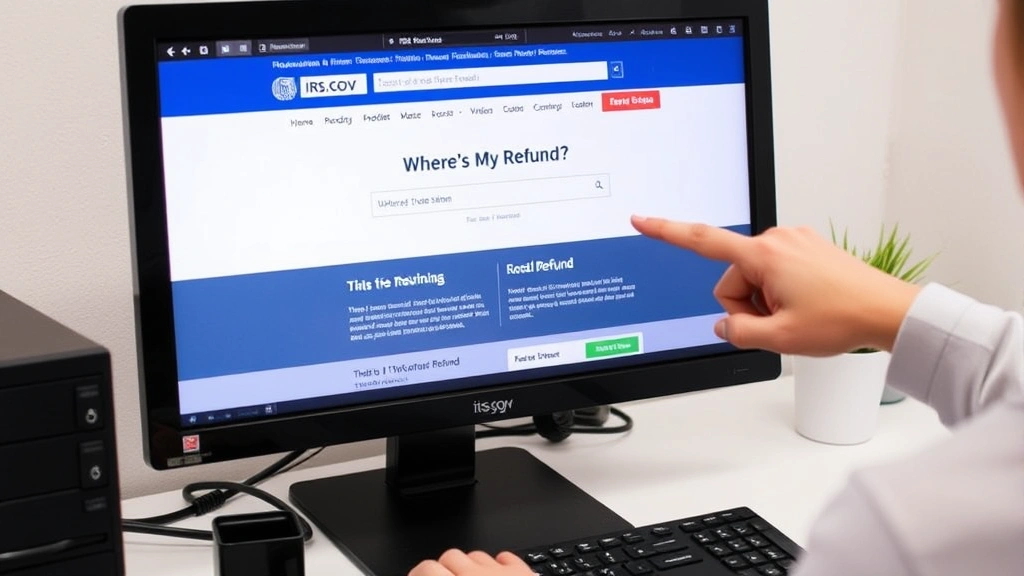
If you’re expecting a refund, you can track it at IRS.gov/refunds using “Where’s My Refund?” tool. Direct deposit refunds typically arrive within 3-5 business days after the IRS approves your return.
For those in states like Wisconsin, state tax refund wait times vary, so check your state’s tax authority website for updates.
Avoid Future Rejections
Once you’ve dealt with one rejection, you won’t want to go through it again. Here’s how to stay on the IRS’s good side:
- Triple-check SSNs: Before hitting “submit,” verify every Social Security number on the return. Typos are the #1 cause of rejections.
- Match your filing status: Make sure you’re filing as the correct status (single, married filing jointly, head of household, etc.) based on your legal situation on December 31st of the tax year.
- Reconcile income: If you received a W-2 or 1099, make sure the amounts match what you’re reporting. If there’s a discrepancy, contact your employer or issuer first.
- Sign everything: For paper returns, both spouses must sign a joint return. For e-filed returns, use your PIN or digital signature correctly.
- Claim only eligible dependents: You can only claim someone as a dependent if they meet specific IRS criteria. Don’t claim an ex-spouse’s child unless you have legal custody.
- Use reliable software: Tax software like Quicken Taxes has built-in error-checking that catches many common mistakes before you file.
These simple steps reduce your rejection risk to nearly zero.
When to Get Professional Help
Most rejected returns are easy to fix on your own. But certain situations warrant professional help:
- Complex income: You have rental property, self-employment income, investments, or multiple side gigs. A CPA or tax professional can ensure everything is reported correctly.
- Dependent disputes: Someone else claims your child, or you’re unsure about custody rules. A tax pro can clarify eligibility.
- Recent life changes: Divorce, remarriage, adoption, or immigration status changes require careful handling. Don’t guess—get expert advice.
- Repeated rejections: If your corrected return is rejected again, the IRS might need additional information. A tax professional can handle IRS correspondence and negotiate on your behalf.
- Large refunds or balances: If you owe thousands or expect a large refund, make sure the return is bulletproof before filing.
A tax pro costs $150–$500, but it’s cheap insurance against costly mistakes or audit risk. Think of it as an investment in peace of mind.
Frequently Asked Questions
How long do I have to refile after a rejection?
There’s no hard deadline, but don’t wait. The sooner you refile, the sooner the IRS processes your return and issues any refund. If you’re owed a refund, waiting delays your money. If you owe taxes, filing late can trigger penalties and interest. Aim to refile within 30 days of receiving the rejection notice.
Will a rejected return affect my credit or cause penalties?
A rejected return itself doesn’t hurt your credit or trigger penalties—it was never officially filed. However, if you owe taxes and don’t refile and pay by the deadline, you’ll face penalties and interest. That’s why quick action matters.

Can I file a rejected return by mail if I originally e-filed?
Yes, you can switch methods. If your e-filed return was rejected, you can mail the corrected version instead. Just make sure to write “CORRECTED RETURN” on the paper copy and include a cover letter explaining the original rejection.
What if the same error happens again when I refile?
If your corrected return is rejected for the same reason, something deeper is going on. It might be an issue with IRS records (like an outdated address or name on file), not your return. Contact the IRS directly at 1-800-829-1040 to troubleshoot. They can look up your account and explain what’s blocking acceptance.
Do I need to contact the IRS before refiling?
Not necessarily. If you know what the error is and you’ve fixed it, just refile. The IRS will recognize the corrected version as a replacement. However, if you’re unsure about the rejection reason or the error is complex, calling the IRS first can save time.
Will refiling delay my refund?
Yes, slightly. Your refund timeline resets when you refile. But the delay is usually just a few weeks, not months. E-filing speeds things up compared to paper filing.
What if I owe taxes instead of getting a refund?
You still need to refile and pay as soon as possible. The IRS charges interest and penalties on unpaid taxes from the original due date. The sooner you file and pay, the less interest accrues.
Can I use a different tax software to refile?
Yes, but it’s easier to use the same software if possible. Most tax software lets you import your previous return, correct it, and refile. Switching software means re-entering everything from scratch, which increases the risk of new errors.