

Let’s be real—waiting for your tax refund feels like watching paint dry while the IRS holds your money interest-free. But here’s the thing: understanding what is tax topic 152 can actually make the whole process less painful and help you get your money back faster. Tax Topic 152 is the IRS’s way of saying “we received your return, we’re processing it, and here’s where your refund stands.” It’s not glamorous, but it’s incredibly useful when you’re refreshing your bank account daily wondering where that cash went.
If you’ve ever called the IRS helpline or checked your refund status online and seen a cryptic message about “Topic 152,” you’re not alone. Thousands of taxpayers get confused by these numbered topics every filing season. The good news? We’re breaking it down in plain English so you can understand exactly what’s happening with your refund and what to do if something feels off.
What Is Tax Topic 152?
Tax Topic 152 is the IRS’s official code for “Refund Status.” When you see this number pop up on your transcript or hear it mentioned by an IRS representative, they’re essentially telling you: “Your refund is in the queue, and we’re working on it.” Think of it like a tracking number for your package—except the package is your own money that you overpaid in taxes throughout the year.
The IRS uses numbered topics to categorize different tax situations and messages. There are hundreds of these topics, but Topic 152 is one of the most common ones you’ll encounter, especially during tax season (January through May). It’s not a red flag or a problem—it’s just the IRS’s standard way of communicating refund information.
Here’s what’s important to understand: Tax Topic 152 means your return has been accepted and is being processed. The IRS isn’t asking for more information, flagging errors, or holding your refund for an audit. You’re simply in the normal processing pipeline. For most people, this is good news. Your refund is coming; you just need to know when.
The timeline typically looks like this: you file your return → the IRS accepts it → they process it (this is where Topic 152 applies) → they issue your refund → your bank receives it. Most refunds are issued within 21 days of acceptance, though some take longer depending on complexity and current IRS workload.
Why You’re Seeing Tax Topic 152 on Your Account
You’ll see Tax Topic 152 mentioned when you:
- Check your refund status on IRS.gov’s Where’s My Refund tool
- Call the IRS automated refund hotline (1-800-829-1040)
- Pull your IRS transcript or account transcript
- Receive an IRS notice mentioning your refund status
- Use tax software that integrates with IRS data
The reason it appears is straightforward: the IRS is providing you with a standard status update. Unlike Topic 151 (which relates to pending refunds that need verification) or Topic 203 (which indicates an offset—meaning your refund is being used to pay other debts), Topic 152 is the baseline “your refund is processing” message.
When you check the “Where’s My Refund” tool and it shows Topic 152, you’ll typically see additional information like:
- The expected refund amount
- The expected deposit date (usually within 21 days of acceptance)
- Your refund method (direct deposit or check)
- The date your return was accepted
This transparency is actually helpful. You’re not in the dark—you have specific dates and amounts. The challenge is that many people don’t know how to interpret this information or what happens if dates slip.
Pro Tip: Bookmark the IRS’s “Where’s My Refund” page. You only need to check it once a week, not daily. Checking multiple times won’t speed up your refund, and the tool only updates once per day anyway. Save yourself the anxiety and set a calendar reminder instead.
Understanding Your Refund Timeline
The IRS promises to issue most refunds within 21 days of acceptance. Here’s what that actually means in practice:
- Day 1-2: You file electronically. The IRS receives your return and validates the format.
- Day 3-7: Your return is accepted. You’ll see a confirmation in your tax software or receive an acceptance email. This is when Topic 152 typically appears.
- Day 8-21: The IRS processes your return. They verify information, check for errors, and calculate your refund amount.
- Day 21-28: Your refund is issued and sent to your bank or mailed as a check.
- Day 28-35: Your bank receives the deposit and credits it to your account (or the check arrives in your mailbox).
The 21-day promise is a guideline, not a guarantee. During peak filing season (February through April), the IRS processes millions of returns daily. Some complex returns take longer. Returns with Earned Income Tax Credit (EITC) claims are held longer by law—up to 15 days past the normal processing period.
If you filed a paper return instead of electronically, add 3-4 weeks to all these timelines. The IRS has to manually input paper returns before processing can even begin.
One thing that trips people up: the expected date on “Where’s My Refund” is often conservative. Many refunds arrive earlier than the stated date. Don’t panic if it shows “expected by May 15” but you get the money May 10. That’s normal.
How to Check Your Refund Status
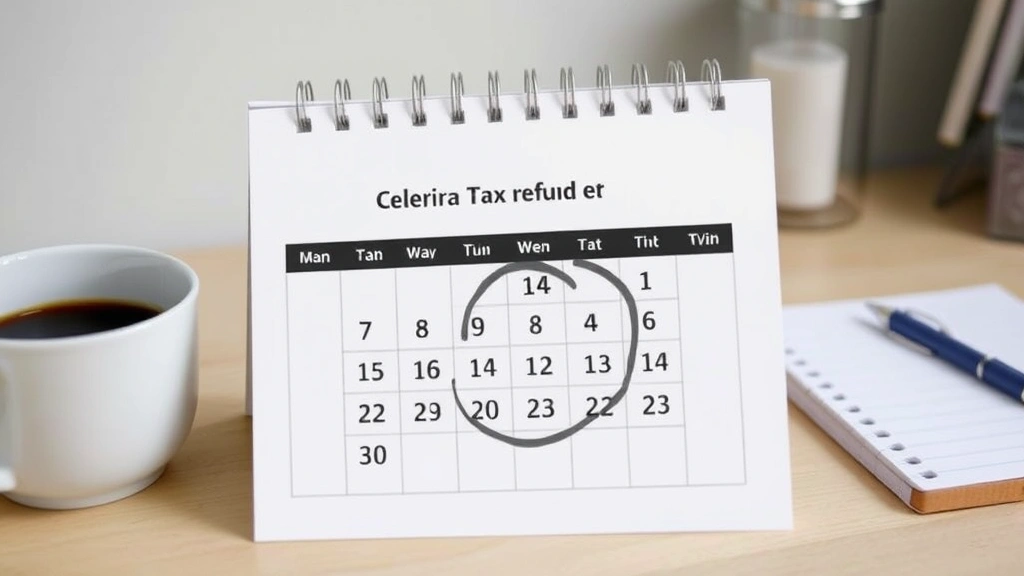
You have several legitimate ways to check on your Tax Topic 152 refund status:
1. IRS “Where’s My Refund” Tool (Most Reliable)
Go to irs.gov/refunds and enter:
- Your Social Security Number or Individual Taxpayer Identification Number
- Your filing status
- The exact refund amount from your return
This tool shows real-time status and updates once daily, usually overnight. It’s the most accurate source of information directly from the IRS.
2. IRS Refund Hotline
Call 1-800-829-1040 and follow the automated prompts. You’ll need the same information as above. The automated system can tell you your refund status without waiting for a representative.
3. Your Tax Software Account
Many tax preparation services (TurboTax, H&R Block, etc.) integrate with the IRS system and show refund status within their platform. This is convenient, but it’s pulling the same data as the official IRS tool.
4. IRS Transcripts
If you want detailed information about what the IRS has on file, you can request your Account Transcript from IRS.gov. This shows all transactions, refund status, and any adjustments the IRS made to your return.
Warning: Be extremely cautious of third-party refund status websites that aren’t directly affiliated with the IRS. Some charge fees or collect your personal information unnecessarily. Stick with IRS.gov, the official IRS phone line, or your tax software provider.
When Your Refund Gets Delayed
If you’re past the 21-day mark and still seeing Topic 152, something’s holding up your refund. Here are the most common reasons:
1. Return Complexity
If your return includes business income, rental property, investment losses, or multiple states, processing takes longer. The IRS has to do more verification. This isn’t an error—it’s just how the system works.
2. EITC or Child Tax Credit Claims
By law, the IRS must hold refunds with these credits until mid-February, regardless of when you file. If you file in January claiming EITC, your refund won’t be issued until at least February 15. This is called the “EITC delay” and it’s not negotiable.
3. Math Errors or Missing Information
If the IRS spots a discrepancy between your return and what they have on file (W-2s, 1099s, prior year returns), they’ll pause processing. You might see a different Topic number (like 203 or 151) instead of 152. The IRS will send you a notice explaining what’s needed.
4. Identity Verification Issues
If the IRS suspects identity theft or needs to verify your identity, they’ll hold your refund. You’ll receive a notice asking you to verify information through their secure online portal or by mail.
5. Offset for Unpaid Debts
If you owe back taxes, student loans, or child support, the IRS can intercept your refund to pay those debts. This shows up as Topic 203, not 152. You’ll receive a notice explaining the offset.
6. System Issues or Backlog
During peak season, the IRS gets overwhelmed. Returns that should process in 21 days sometimes take 30-45 days simply because of volume. It’s frustrating, but there’s not much you can do except wait.
If your refund is significantly delayed (more than 45 days from acceptance), you have options:
- Call the IRS at 1-800-829-1040 and speak with a representative
- Visit a local IRS office (find yours at irs.gov/help/contact-my-local-irs-office)
- File a complaint with the Taxpayer Advocate Service if you believe you’ve been treated unfairly
- Contact your elected representative’s office—they often have constituent services that can help with IRS issues
Connection to Retirement Account Withholding
Here’s where Tax Topic 152 connects to your overall tax strategy: many people end up with refunds because they’re over-withholding from paychecks or retirement accounts.
If you contribute to a Tax-Sheltered Annuity (TSA) or have income from a Tax-Free Retirement Account, the withholding can get complicated. Some employers don’t adjust your federal withholding properly when you make retirement contributions, leading to overpayment.
Similarly, if you’re self-employed and make quarterly estimated tax payments, miscalculating can result in a large refund come tax season. That’s money you could have used throughout the year instead of giving the IRS an interest-free loan.
A Tax Strategist can review your withholding and help you adjust it so you get closer to breaking even at tax time. The goal isn’t necessarily to eliminate your refund entirely (some people like the discipline of saving through withholding), but to optimize it based on your situation.
Understanding Tax Topic 152 is part of a bigger picture: knowing where your money goes and making sure you’re not overpaying throughout the year.
What to Do While You Wait
Waiting for your refund is frustrating, but here’s how to make the most of the time:
1. Don’t Spend It Yet
I know it’s tempting to plan what you’ll do with that refund money, but until it’s actually in your account, it’s not yours. Avoid taking on debt or making plans based on the expected refund amount. Too many things can change.
2. Review Your Return
While you wait, pull up a copy of your tax return. Make sure everything looks correct. Check that all your income sources are listed, deductions are accurate, and personal information (name, SSN, address) is right. If you spot an error after filing, you can file an amended return (Form 1040-X) once your original return is processed.
3. Adjust Your Withholding for Next Year
If you’re getting a large refund (more than $1,000), that’s a sign you’re withholding too much. Use the IRS Tax Withholding Estimator to calculate the right amount for next year. Talk to your HR department about adjusting your W-4. Getting your withholding right means more money in each paycheck instead of waiting for a refund.
4. Plan How You’ll Use the Money
Once the refund arrives, have a plan. Will you:
- Build an emergency fund (ideal—aim for 3-6 months of expenses)
- Pay down high-interest debt (credit cards, personal loans)
- Invest it for retirement
- Make a home or car repair you’ve been putting off
- Contribute to a savings goal
The worst thing you can do is let a refund sit in your checking account and gradually get spent on stuff you don’t remember buying. Be intentional.
5. Keep Your Contact Information Current
Make sure the IRS has your correct mailing address and phone number. If they need to reach you about your refund, they need to be able to contact you. If you’ve moved recently, update your address with USPS and notify the IRS.
6. Set Up Direct Deposit (If You Haven’t Already)
If your refund is being mailed as a check, consider requesting direct deposit instead. It’s faster and eliminates the risk of a lost or stolen check. You can change your refund method when you file next year.
Pro Tip: If you’re expecting a large refund and need the money urgently, some tax preparation companies offer “rapid refund” loans. Be careful with these—they charge fees and interest. It’s usually better to wait the extra week or two for your actual refund rather than pay to borrow your own money.
Frequently Asked Questions
What does Tax Topic 152 mean exactly?
– Tax Topic 152 is the IRS’s code for “Refund Status.” It means your tax return has been accepted and is currently being processed. The IRS is working on calculating and issuing your refund. It’s not a problem or a red flag—it’s a normal status update.
How long does it take to get a refund after seeing Topic 152?
– The IRS typically issues refunds within 21 days of acceptance. However, this varies. Some refunds come faster (within 7-10 days), while others take 30-45 days depending on complexity, current IRS workload, and whether your return has EITC or other credits. Direct deposit is faster than a mailed check.
Is Topic 152 good or bad?
– Topic 152 is neutral to good. It’s simply telling you your return is processing normally. If there were a problem, you’d see a different topic number (like 203 for offset, 151 for pending verification, or 971 for a notice). Topic 152 means you’re on track.
Can I speed up my refund if I see Topic 152?
– Unfortunately, no. Once your return is accepted and showing Topic 152, the processing timeline is out of your hands. The IRS will process it at their pace. Calling repeatedly or checking the status multiple times daily won’t speed it up. Your best bet is to check once a week and be patient.
What should I do if my refund hasn’t arrived 21 days after seeing Topic 152?
– First, check the expected date on the “Where’s My Refund” tool—it may have been extended. If it’s been more than 45 days, contact the IRS at 1-800-829-1040 or visit a local office. If you filed by check and it’s been over 60 days, request a refund trace. The IRS can investigate what happened to your refund.
Does Topic 152 apply to amended returns?
– Amended returns (Form 1040-X) can show Topic 152 as well, but they typically take longer to process—usually 8-12 weeks instead of 21 days. Amended returns are processed separately from original returns.
What if my Topic 152 status changes to a different topic?
– If your status changes to Topic 203, 151, 971, or another number, the IRS is communicating something different. Topic 203 means your refund is being offset (used to pay other debts). Topic 971 means you’re receiving a notice about your account. Check the “Where’s My Refund” tool for details or wait for written notice from the IRS.
Can I file my next year’s return before my current refund arrives?
– Yes, absolutely. You can file your 2024 return even if your 2023 refund hasn’t arrived yet. These are separate transactions. However, if you’re filing early to get your refund faster, remember that the IRS won’t process returns filed before January 29 (they don’t accept returns until late January).

Is there a way to get my refund faster than the normal timeline?
– Not really, unless you use a tax preparation company’s rapid refund loan (which costs money). The standard timeline is the fastest free option. Direct deposit is faster than checks, so if you’re getting a check, you could request direct deposit instead.
What happens to my refund if I die before it’s issued?
– This is morbid but important: if you pass away before your refund is issued, the IRS will issue it to your estate. Your executor or heirs would need to claim it. Make sure your beneficiaries know about pending refunds.


